Manuscript Packet
Book formatting for KDP and IngramSpark

Your finished manuscript, set like a real book.

Paste or upload your book. Get back a print-ready PDF of your book’s pages and a valid EPUB 3 file, ready to upload to KDP, IngramSpark, or send to a printer.

Preview free · Pay once · Free corrections for 30 days · No account · Your words are never changed

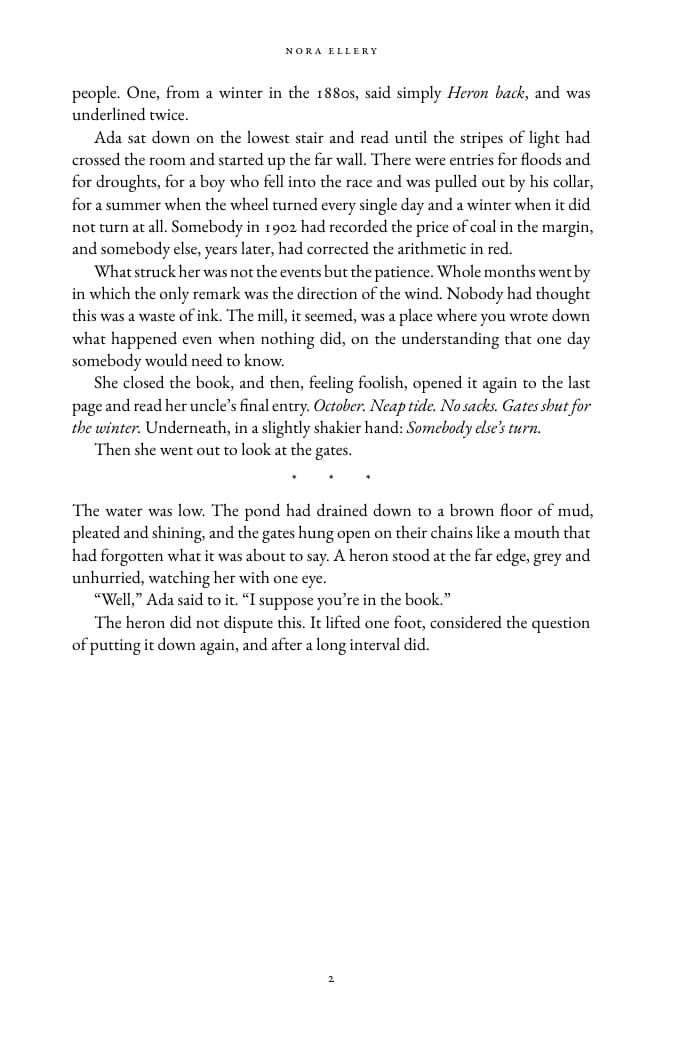
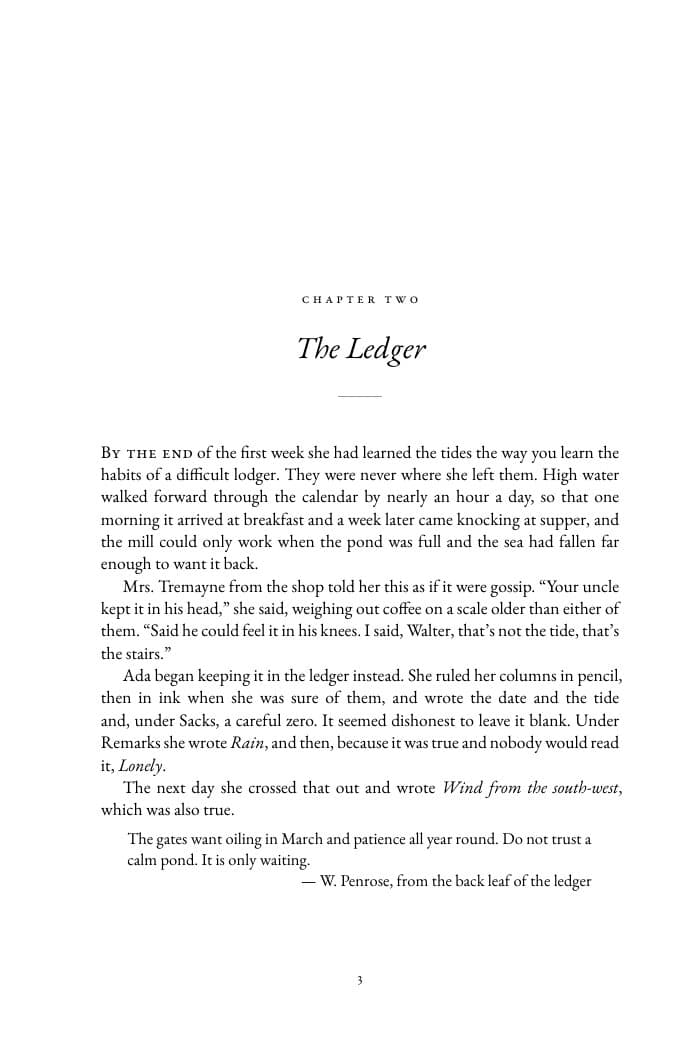
A left-hand book page with a running head and justified textA right-hand chapter opening page titled The Ledger12345
  • 1Running heads: author left, title right
  • 2Chapters open on a right-hand page
  • 3Small-caps opening words
  • 4Wider inside margin for the binding
  • 5Page numbers, skipped on blank pages
The last mile

The writing is done. Then comes the formatting.

Most authors lose a weekend to margins and page numbers, or pay a designer for a job that is mostly rules. Manuscript Packet follows the rules for you.

Print

Export from Word and hope the gutter is wide enough. A PDF built to your trim size, with mirrored margins and front matter in the right order.

Ebook

Wrestle a converter that turns italics into errors. A reflowable EPUB 3 with a working table of contents, built to pass EPUBCheck.

Time

A weekend, or a few hundred dollars. About five minutes, once.

What’s in the packet

Two files, ready to upload.

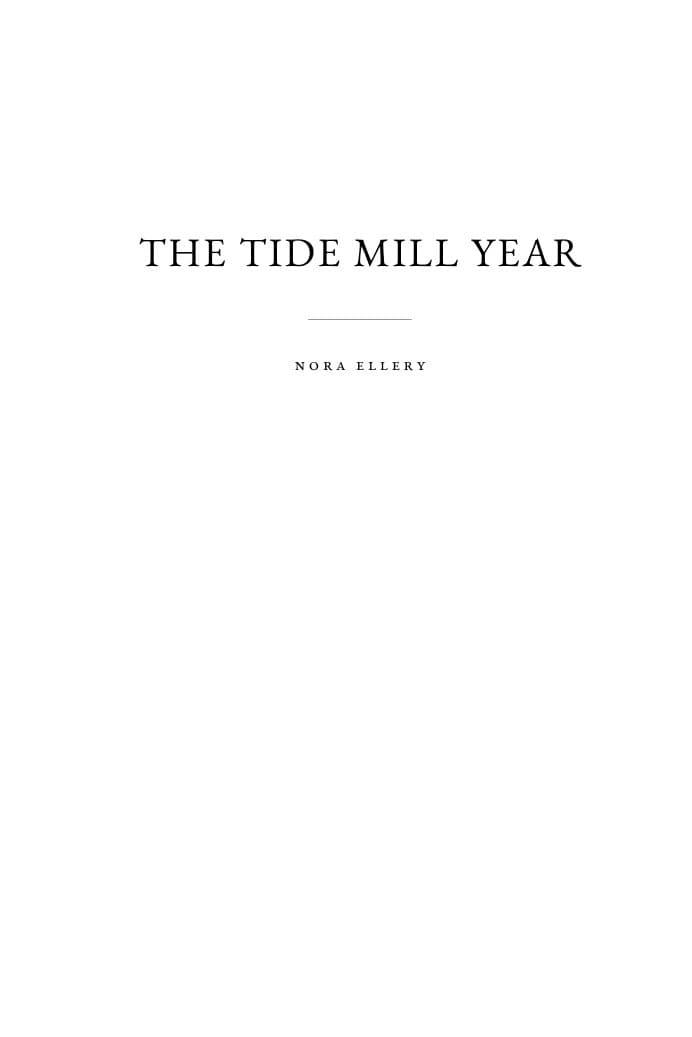
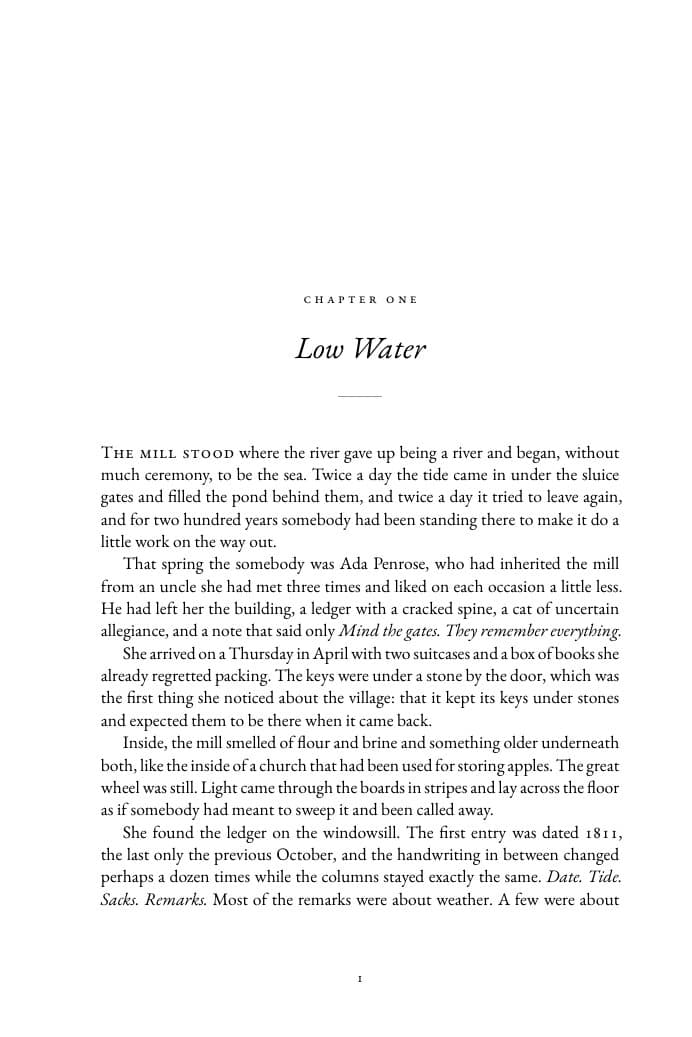
These pages come from a short sample book run through Manuscript Packet, unedited.

Sample title page reading The Tide Mill Year by Nora EllerySample chapter opening page titled Low Water

Print-ready PDF

your-book-print.pdf

  • Your trim size 5×8 · 5.5×8.5 · 6×9 in
  • Half title, title, copyright, dedication and contents pages
  • Running heads, page numbers, chapters on right-hand pages
  • Your choice of three book typefaces, justified and hyphenated
  • Fonts embedded, the way print services ask for

EPUB 3 ebook

your-book.epub

  • Reflows on Kindle, Apple Books, Kobo and phones
  • Tappable table of contents and chapter navigation
  • Title, author and language in the book’s metadata
  • Quiet, readable styling that respects reader settings
  • Built to pass EPUBCheck, the check the stores use
Choose the look

A few good choices, each one tuned.

Every option below is set by hand for size, spacing and margins, so any combination looks professional. These choices shape the print book. On e-readers, readers pick their own font and size.

Typeface

Two book serifs and a clean sans. Each gets its own size and line spacing so the page has the same even colour.

ClassicEB Garamond
Low Water

The mill stood where the river gave up being a river and began, without much ceremony, to be the sea.

Warm and traditional. The default for fiction.
ModernLiterata
Low Water

The mill stood where the river gave up being a river and began, without much ceremony, to be the sea.

Sturdy and even. Memoir and literary work.
CleanSource Sans
Low Water

The mill stood where the river gave up being a river and began, without much ceremony, to be the sea.

A clean sans serif. Nonfiction, business and workbooks.

Book size

All three are standard trims at KDP and IngramSpark. A larger page means fewer pages, which lowers the cost of each printed copy.

5 × 8 inCompact. Novels, novellas, poetry.
5.5 × 8.5 inCommon for fiction and memoir.
6 × 9 inThe standard trade paperback.

Text size

Standard suits most readers. Roomy sets the text a size larger for easier reading.

AaStandardWhat most novels use.
AaRoomyA size up, for easier reading.
How it works

Four short steps. Pay only at the end.

Step 1

Add your manuscript

Paste the text or upload a file. Chapter headings are found for you.

.docx.md.txtpaste
Step 2

Choose the look

Title, author, book size, typeface and text size. Add a dedication or copyright note if you like.

Step 3

Preview your pages

See your own title page, first chapter and a full spread, plus the chapter list. Nothing to pay yet.

Step 4

Pay once, download

Both files are ready to download right away, and we email you a copy. Found a typo? Fix it and rebuild free for 30 days.

One book, one packet
$24one time

No subscription and no account. Pay for the book you are publishing.

Make my packet
  • Print-ready PDF in your trim size
  • EPUB 3 ebook, built to pass EPUBCheck
  • Title, copyright, dedication and contents pages
  • Preview your real pages before you pay
  • Download right away, plus a copy by email
  • Free corrections and rebuilds for 30 days
Questions

Before you start.

Will you change my writing?

No. Your text goes into the book exactly as you wrote it. We only fix typographer’s details, like curly quotes and proper dashes.

Will KDP or IngramSpark accept the files?

The files are built to the specifications those services publish, and the EPUB passes EPUBCheck. Each store still runs its own review, so we can’t promise acceptance.

What if something goes wrong with my files?

Both files are built while you preview, before you pay. If your manuscript can’t be set, you’ll see why on screen and you won’t be charged.

What if I find a typo after I buy?

For 30 days after you buy, you can correct your manuscript or change the typeface, text size or book size from your packet page, then rebuild both files at no charge, as often as you need. Free rebuilds are for corrections to the same book. A different book or a new edition is a new packet.

Who owns the book?

You do. Manuscript Packet is a typesetting tool, not a publisher. We don’t claim any rights to your content, and we don’t list or sell your book anywhere.

Does it make a cover?

Not yet. The packet covers the pages inside your book: the print-ready PDF and the ebook. You’ll need a cover designed separately.